
Paramotor Engines
Profile > Equipment > PG/PPG/HG > tap an engine
Engines are managed from the same Equipment root as wings.
To create a new engine:
- Tap Add
- In Add Equipment, select Engine
- Enter Manufacturer and Name
- Tap Add
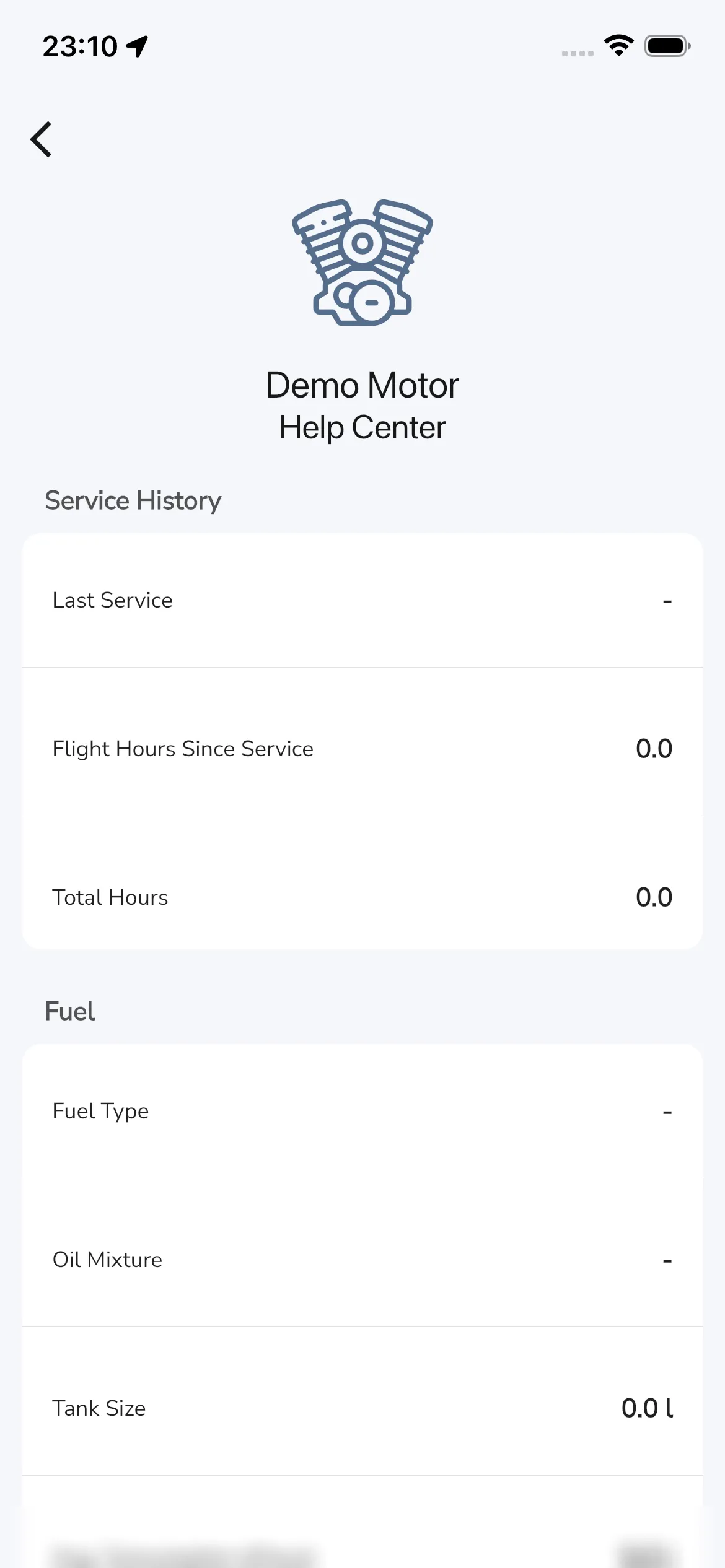
See your engine’s details
By tapping an engine row you open the engine detail page.
Service history
Current labels include:
- Last Service
- Flight Hours Since Service
- Total Hours
Tap the Last Service value to open a date picker and choose the date of your last service. You cannot pick a future date. Tap Flight Hours Since Service or Total Hours to open a dialog with Hours and minutes fields. Enter the new values and tap Save. Tap Cancel to leave the value as it was. New flight recordings are added to your hours automatically.
Fuel
Current labels include:
- Fuel Type
- Oil Mixture
- Tank Size
- Avg. Consumption (l/hour) (unit label can vary by your unit settings)
Notes
Use Notes to store engine-specific details.
Bottom actions on an engine
Lower in the page, current actions include:
- Flights
- Change Name
- Archive