
Written by: Hennie Brink on Oct 6, 2026
The vario comes alive. One part of your circle climbs well; another drops away. By the next turn, you are trying to remember where the best lift was and whether it has moved. You found the thermal. Now you want to make more of it.
Gaggle’s new variometer and Thermal Assist help you connect those moments. Hear a direction toward better lift, see which part of your recent turns worked, and follow the thermal’s shape as you climb. Each cue gives you something to use when deciding where to place the next circle.
The aim is practical: notice air you might otherwise pass through, spend less of each turn in weaker lift, and stay with the climb as it shifts.
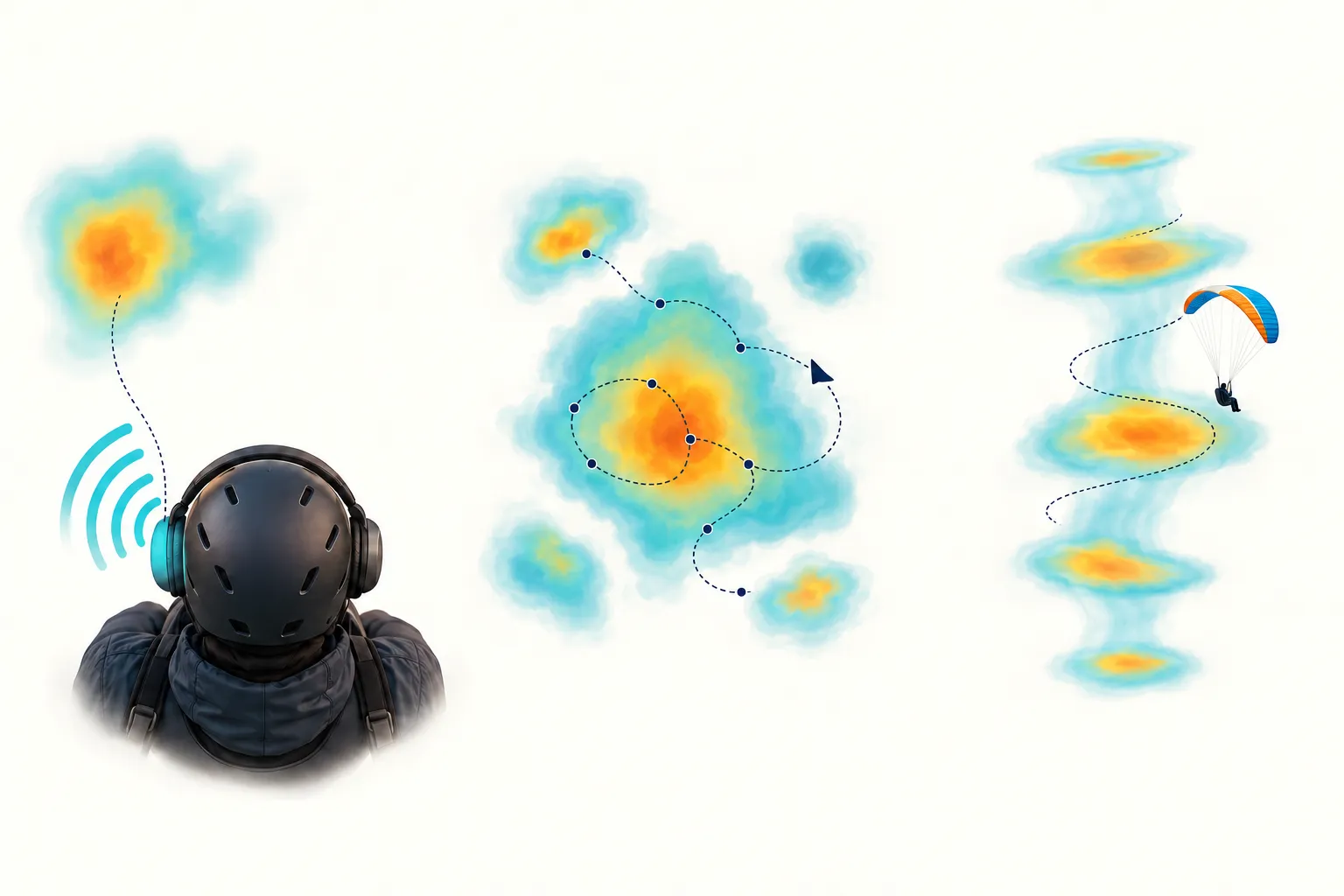
Concept illustration of directional sound, the lift around your track, and a thermal across height.
You get a good climb on one side of the circle, then lose it on the other. Your vario tells you the climb is weakening, and you are trying to keep a picture of where to find the stronger part again.
Gaggle’s binaural variometer adds direction to that familiar sound. With Directional lift sound enabled, the climb tones move left or right through your headphones as Lift Assist identifies the better lift. You hear the climb strength and a direction together.
Use the sound to keep track of the stronger side across your turn. When it agrees with your climb rate and the feel of the wing, use your usual centring technique to move the circle toward that better air, keeping the established circling direction and traffic pattern. Listen through the next turn: a more sustained climb is a sign the adjustment is helping.
That is the benefit of adding direction to the vario: less effort remembering where the good part was, and another reference for making more of the next circle.
Use your stereo headphones to hear the left/right cues. You can try them before launch in Try the cues and get a feel for how the sound moves. The variometer guide walks you through the setup.
If your vario feels too busy, it can be hard to pick out the changes that matter. If its voice is too subtle for you, those changes can be easy to miss. Choose the sound you find easiest to recognise:
Before launch, try Gentle and more Climb rate smoothing if you prefer a calmer sound, or Responsive if you want the changes to stand out. Choose Syrinx if its birdlike voice makes the climb easier for you to follow. A familiar sound leaves you less to interpret while flying.
You can hear the differences before launch. Open Record > Recorder Settings > Variometer > Try the cues, connect your headphones, and compare the climb, sink, early-lift, and left/right scenarios. When you find your favourite, tap Use this profile.
Your vario is quiet on a glide. Then the sink eases and the wing feels a little different. There may be something worth working, but the usual climb tone has not started yet.
Gaggle’s optional Early lift cue, also called a thermal sniffer, gives that near-zero air a sound of its own. For example, a reading of −0.2 m/s can produce the cue with the standard settings while you are still descending gently.
Listen for a short, airy double pulse with Balanced, Responsive, or Gentle. With Syrinx, it is a brief birdlike whistle. It plays once on entering the cue’s range, leaving the normal climb rhythm to take over when your climb threshold is reached.
When you hear it, pay attention to what happens next: feel the wing and listen for the climb tone to develop. If the climb builds and persists, use that combination to decide whether to work the lift with your normal thermalling technique. The cue helps you notice the transition while there is still a chance to investigate it.
You can also hear it as a climb weakens into the same near-zero band. During a turn, that is a useful moment to compare your position with the stronger part of the last circle.
To enable it, open Variometer > Early lift cues > Early lift cue. You can preview it in Try the cues before your next flight. Early lift cues are included with Frequent Flyer and Adventurer.
After a few turns, the strongest part of the climb can be surprisingly hard to place. Was it on this side, or a little farther around? Thermal Assist keeps the recent lift pattern in view so you can compare turns.
As you fly through the air, your recent track builds a picture of the lift. The top-down view brings that pattern together around your position. As a core takes shape, Gaggle shows its estimated position and adds a direction toward it. Broad areas and bands of lift get their own shapes too.
Look for the stronger part of the recent lift pattern, then compare it with your current position and the core direction. Use that picture to help position the next circle. As you come around again, check whether the climb stays stronger for more of the turn. You now have a way to judge the change you made, as well as a reminder of where to try it.
While Core estimate forming is shown, use the recent lift pattern and your normal vario to work the air. When Thermal core tracked appears, the direction gives you another reference for the next turn. If the display shows broad lift, look at where the climb remains consistent across the area.
The Thermal Assist guide explains the symbols, states, focus range, and settings.
A circle that worked lower down can start losing its best part as you gain height. The Rising column widget gives you a side view of the thermal built from your flight, helping you see how the climb has shifted.
Compare your marker at your current height with the column around it. If you are moving toward its edge and the vario is weakening, check the top-down view and directional sound for where the better air now lies. Use those cues to reassess the centre of your circles as the climb develops. The side view helps explain why the position that worked earlier may need to change.
Choose Thermal centred to keep the thermal fixed while your pilot marker moves, or Pilot centred to keep your marker fixed while the thermal moves around it. The picture builds as your flight adds observations at different heights.
Add Thermal Assist and Rising column from the Thermals category in the custom recorder layout editor. Give each view the space it needs alongside your usual climb-rate and altitude instruments. The same family includes Ridge Assist, which brings your recent lift, wind, and terrain together when working a band of ridge lift.
Start in Record > Recorder Settings > Variometer. Choose a tone profile, try the cues, and set climb and sink thresholds that you understand. Turn on Lift Assist, then enable Directional lift sound if you want the binaural cues. Check both headphone channels and the volume before flying, keeping surrounding sounds and radio calls audible.
Feature access depends on your plan:
See the current plans for the full feature list.
Ready for your next climb? Choose your sound, try the directional cues, and build a recorder screen that suits the way you fly. The variometer setup guide and Thermal Assist guide will get you started.
We replayed the current algorithms against 6.18 hours of sensor data from 12 recent paragliding flights, with six Android and six iOS recordings. The sample included 3.66 hours with recorded barometer data and 2.52 hours without recorded barometer data.
The results below show how the software responded to those recordings, including the separate sensor groups and the method used to assess them.
Eight recordings contained barometer samples; four Android recordings contained none. These groups describe the recorded data, rather than a confirmed inventory of each phone’s hardware.
To examine Thermal Assist, we identified periods of sustained turning and climbing from the recorded track and estimated climb rate, independently of whether Thermal Assist offered a direction. Here is what the default-settings replay produced:
| Replay measurement | With recorded barometer data | Without recorded barometer data |
|---|---|---|
| Recordings in the sample | 8: 2 Android, 6 iOS | 4 Android |
| Recorded sensor data | 3.66 hours | 2.52 hours |
| Flights with qualifying circling-climb intervals | 2 | 3 |
| Total qualifying circling-climb time | 6.1 minutes | 4.5 minutes |
| Thermal Assist core direction available during that qualifying time | 34% | 32% |
| Qualifying proxy episodes with a core direction at least once | 12 of 36 | 5 of 28 |
The replay produced core directions in both groups, and withheld them through much of the qualifying time. That is why a useful climb tone does not always come with a direction to follow. These are small samples of different flights: the percentages describe cue availability, not core accuracy or a ranking of phones. They also exclude the additional turn-pattern fallback used by directional audio.
No current Rising column estimate met its display eligibility rules in this sample. We therefore cannot use these flights to claim a column detection rate, positional accuracy, or longer climbs.
The 12 recordings were selected before calculating results, with one flight per pilot and six recordings per operating system. They come from a bounded search of up to 2,000 recent flight records, selected for available sensor captures, rather than a random sample of all Gaggle flights. The recordings were made between 29 September and 5 October 2026; we replayed the code current on 6 October with default variometer settings and advanced Lift Assist enabled. The replay uses recorded phone inputs and locally estimated wind, without external instruments or live weather and terrain services. This does not reconstruct each pilot’s saved settings or prove what they heard in flight.
The circling-climb check looks back over 18–20 seconds of usable observations, requiring at least 100° of coherent turning, speed of at least 3 m/s, average estimated climb of at least 0.3 m/s, and positive climb in at least 60% of observations. It uses no future observations. Nearby qualifying periods are grouped into episodes; these are an analysis definition, not independently confirmed thermals. The median qualifying episode span was only 8.5 seconds in each group. We excluded long GPS gaps and intervals around capture timing or data-loss events. Percentages are weighted by qualifying time.
For the variometer, seven recordings supplied 3.17 hours suitable for a separate pressure-trend check. An offline, centred three-second pressure-altitude trend identified 78 rises of at least 0.5 m/s lasting at least three seconds. We measured the replay’s climb-cue state: the software’s instruction to play climb tones. At the default +0.1 m/s threshold, that state was active throughout the preceding half-second for 56 events, detected during 18 additional events, and not detected within the remaining four events’ observation windows, capped at 20 seconds. All 78 events came from four iOS recordings, with 65 from one flight. Among the 18 newly detected events, the median delay was 1.1 seconds, but pressure was archived at roughly one sample per second: this is not a subsecond sensor-to-ear latency measurement.
That same check also counted 194 entries into climb-cue states lasting at least half a second, with the offline pressure trend at −0.3 m/s or lower throughout their first half-second, across the 3.17 scored hours. The same-input GPS-only comparison counted 49. Those are disagreements with a reference derived from the phone’s own pressure data, not independently established false cues. Taken together, the results do not establish better accuracy or faster response than GPS alone. Recordings without pressure data cannot be scored against this pressure reference.
These tests measure software behavior on archived inputs with the internal vario treated as active. They do not reproduce flight-state audio suppression or measure the true thermal core, unseen lift, headphone output, or a change in pilots’ airtime.
Scarica Gaggle ora e inizia gratuitamente!
Strumenti di volo, replay, amici, siti di volo, meteo e altro ancora a portata di mano con la nostra app intuitiva.