
Help Article
Flight Recording Sets and Activity
Choose which recording counts as official for each competition pilot, delete bad candidate recordings, and read the competition's activity log.
Flight Recording Sets and Activity
Community > My Groups > Select your competition > Competition manager > Flight Recording Sets
A pilot can have more than one recording of the same flight, for example a phone recording, a Flymaster tracker recording and an IGC file you imported. Together they form a flight recording set. One of them is the official recording, and that is the one that is scored.
On a phone, Flight Recording Sets and Activity are in the More tab of the competition manager. The menu shortens the first name to fit.
Group admins see these sections, see Competition Manager.
Flight Recording Sets
Flight Recording Sets lists the sets for the event, one row for each pilot’s flight. Tap Show more for more rows. A row can show:
- how many candidate recordings the set has
- Needs review, when Gaggle wants you to look
- Official chosen, when a recording has been picked
- the number of quality warnings, such as GPS gaps
If the event has no sets yet, the page says No flight recording sets. Tap a row to open its candidates. If it has none, it says No candidate recordings.
Candidate recordings
Each candidate shows its source, the tracker serial if it came from a tracker, and its Duration, Distance, Max Altitude, GPS quality and Score. The one in use is marked Official, and Gaggle marks its pick as Recommended.
- Tap View to see the recording.
- Tap Select official to make it the official recording. The flight is rescored.
- Tap Reprocess recording recommendation on the set to have Gaggle choose again. Use it after you change tracker assignments, see Competition Pilots. It tells you whether the recommendation changed and how many scoring jobs it queued.
You can reach one pilot’s sets from Pilot details: open Manage, then Show candidate recordings.
Delete a candidate
- Open the candidate and tap Delete recording.
- Read the warning. It says the recording is physically removed, and that if the candidate is official, the set loses its official status.
- Tap Delete recording to confirm.
Deleting cannot be undone. Choose another official recording afterwards if the set needs one.
Activity
Activity is a read-only log of recent actions in the competition, such as imports, pilot changes, claim invites, tracker changes, recording choices and scoring actions. It appears when organisers manage the pilots or the event is scored.
Entries are grouped by day, with Today first. Each shows a title, such as Pilot profile created, a line that says what happened, and the time. Tap one to open the arrow and see its details.
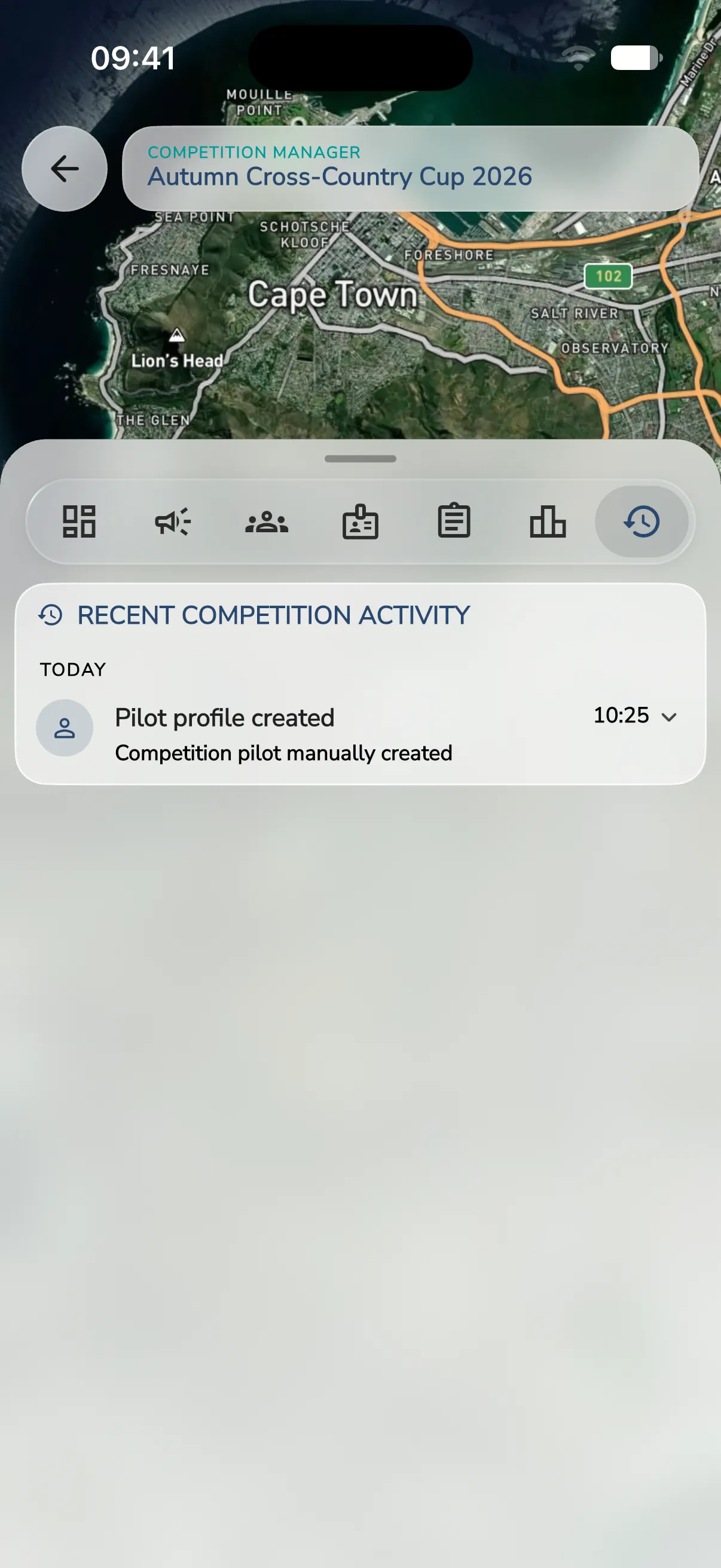 Tap Show N more activities (or Show 1 more activity) for older entries and Show fewer activities to fold them away. If nothing has happened yet, it says No recent competition activity.
The Overview’s Needs attention list draws on this log, for example recent import errors and recording overrides.