
Written by: Hennie Brink on Jun 14, 2026
We are excited to roll out Airspace Advisories in Gaggle.
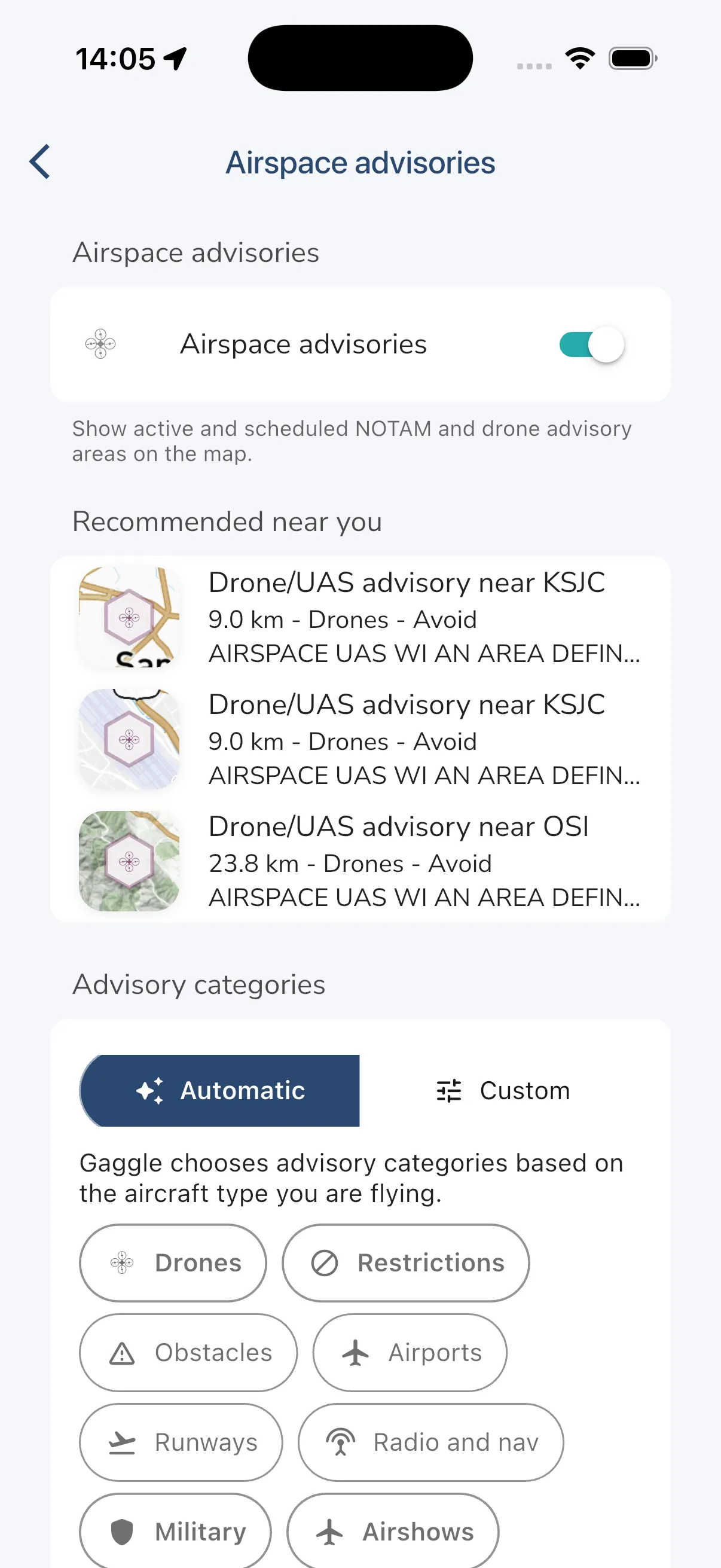
This new layer helps pilots spot advisory areas that may matter for planning and situational awareness as an additional in-app awareness layer before normal planning checks. You can now see nearby recommended advisories, turn the advisory layer on for the map, filter categories, and open a full list and detail view when you want more context.
Airspace Advisories are built to make it easier to:
The first release starts with FAA NOTAM-backed advisories, including drone and restriction-style advisory areas where available. We have built the system to support more providers over time, but availability still depends on region and source coverage.
On supported accounts and locations, Gaggle can surface a Recommended advisories card on Home and show nearby items inside the advisory settings flow. That means less hunting around before a flight and a quicker path into nearby advisories that may be relevant.
You can then choose Automatic filtering based on your aircraft type, or switch to Custom to decide exactly which categories and severity levels appear on your map.
This part matters: Airspace Advisories are meant to improve awareness, not replace your normal planning flow.
Gaggle can show FAA NOTAM-backed advisory data inside the app, but the feature is not presented as a certified or official pre-flight briefing service. You should still use the relevant official publications, briefing tools, and judgment for flight planning and go/no-go decisions.
We are also introducing a privacy setting called Share with drone operators.
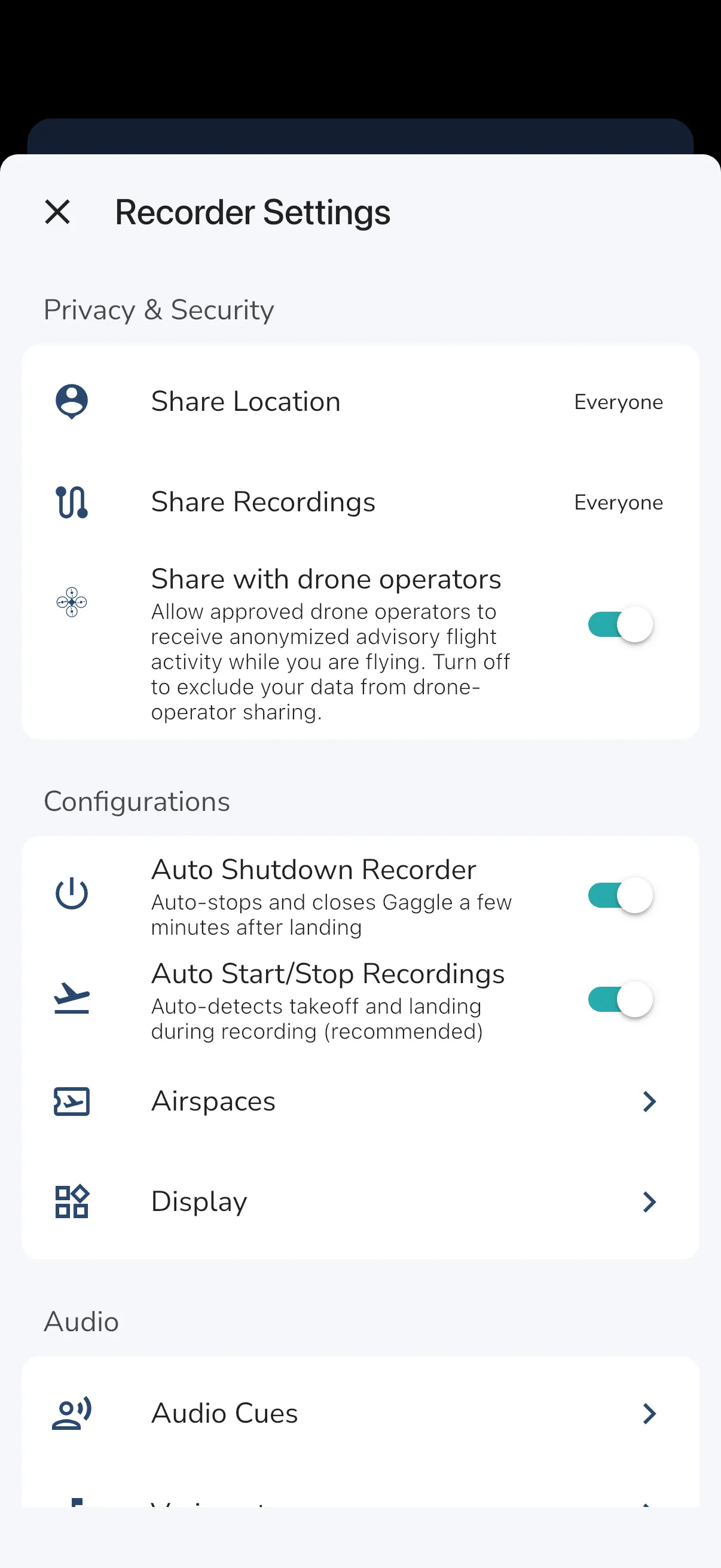
Approved drone operators can receive anonymized advisory flight-activity signals while you are flying. If your live tracking is set to Everyone, this sharing is included automatically. If your live tracking is set to Friends or Groups, you can control it with Share with drone operators. If your live tracking is Private, your data is not included. This is deliberately conservative:
We think this is a practical way to improve awareness between airspace users while limiting what is shared for pilot privacy.
Open Explore > Airspaces and look for Airspace advisories > Settings. If you have nearby activity, also keep an eye on the Recommended advisories section on Home.
To learn the full flow, read the help article here:
Fly prepared, stay aware, and keep the map working for the flight you are actually doing.
Téléchargez Gaggle maintenant et commencez gratuitement !
Instruments de vol, rediffusions, amis, sites de vol, météo et plus encore à portée de main grâce à notre application conviviale.