
Help Article
Explore map flyability
See which flying sites look flyable on the Explore map for each of the next five days and each hour, and what the verdicts, wind numbers and small marks mean.
Explore map flyability
The Explore map shows how flyable each nearby flying site looks at a day and hour you choose. Use it to find the best site for the day without opening each forecast.
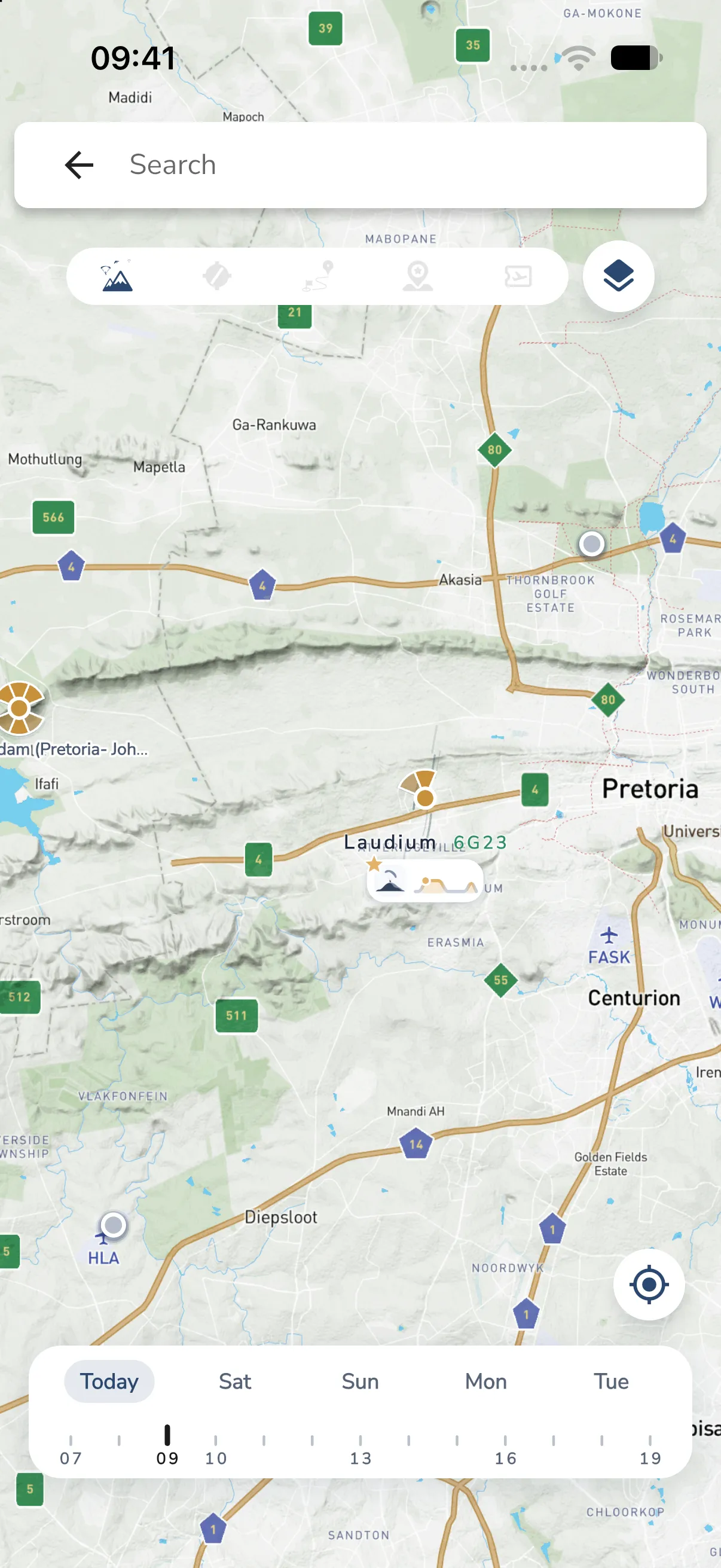
Choose a day and hour
The time bar sits at the bottom of the map.
- Tap a day chip to choose the day. The chips are Today and the next four days, each labelled with its weekday name.
- Tap or drag along the ticks underneath to choose the hour. The ticks run from 07 to 19, one for each hour, with a label every third hour.
The map opens on today and the current hour, and follows the clock until you pick a time. Your pick stays when the hour changes. Choosing another day keeps the hour. Hours are at the site, so the hour is the local hour of each site.
Only the colours, winds and marks change when you choose a time. The map does not move.
Which sites show a forecast
A site shows flying conditions when it is public and its wind guide has at least one launch direction. A site without a wind guide shows as a plain dot with no forecast. See Flying Sites for how site admins set the wind guide. A forecast that is more than 12 hours old is drawn lighter.
The verdicts
Each site gets one of these verdicts for the day and hour you chose:
- Good Flying Conditions: green
- Flying Possible: sand
- Flying Not Advised: grey
- Unknown: no advice
The colour of the site marker follows the verdict. The marker is a fan that shows the launch directions in the site’s wind guide.
Sites near the middle of the map
The sites closest to the middle of the screen show more detail. Move the map to bring a site towards the middle.
- Sites far from the middle are small markers.
- Sites nearer the middle also show their name and the wind as a number such as
14G19, which is the wind speed withGand the gust speed. The number is coloured when the wind blows from a direction the site can launch from. - The one or two sites nearest the middle show a small card with the launch icon and a mini hill of the day. The hill is green where the hours are good, sand where flying is possible and grey where it is not. A dot marks the hour you chose. A star on the icon marks the site’s best day among the five.
Beside the name you can also see how many pilots are flying (for example 3 flying) and how many are going (for example 2 going).
Zoom in to see this detail. It does not show when the map is zoomed far out.
The small marks
A site near the middle can show one small mark beside its marker. Gaggle picks the first that applies:
- why not to fly, such as rain or storm, when the verdict is Flying Not Advised
- one pilot flying, or a group of pilots flying
- a ridge mark, at coastal or soaring sites when the wind blows from a launch direction at 10 km/h or more
Tap a site, its name or its card to open the site. See Reading the site forecast for the full forecast.