
Help Article
Ground Speed & Compass
Understand the current ground-speed widget, compass direction, and related lower-screen flight information.
Ground Speed and Compass Instrument
The ground-speed instrument is the lower-left circular widget in the in-flight layout.
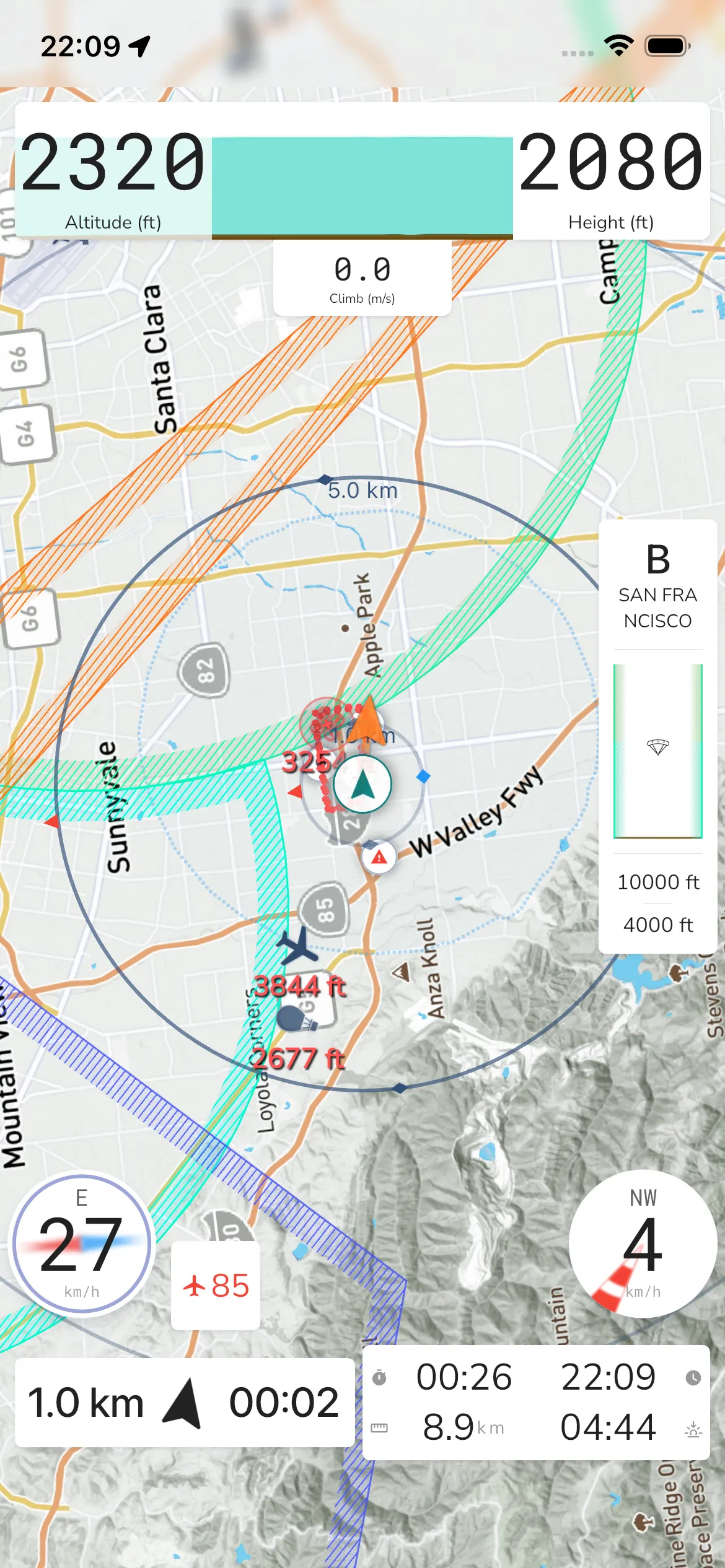
Ground speed: Shows current GPS-derived speed.
Direction: A cardinal heading label is shown above the speed value.
Compass ring: The circular background acts as a compass reference.
At the time of this update, tapping this widget did not open a separate modal in the live iOS pass.
If powered equipment is active, a separate small fuel/engine card can appear between the lower-left and lower-right widgets.