
Help Article
Linked Recordings
Overlay your friends' flights on your own recording to compare how you flew the same sky.
Linked Recordings
Profile > All Flights > open a recording > Linked people tab
Link a friend’s recording to your own to see both flights on the same map. Only you, as the owner of a recording, see the Linked people tab.
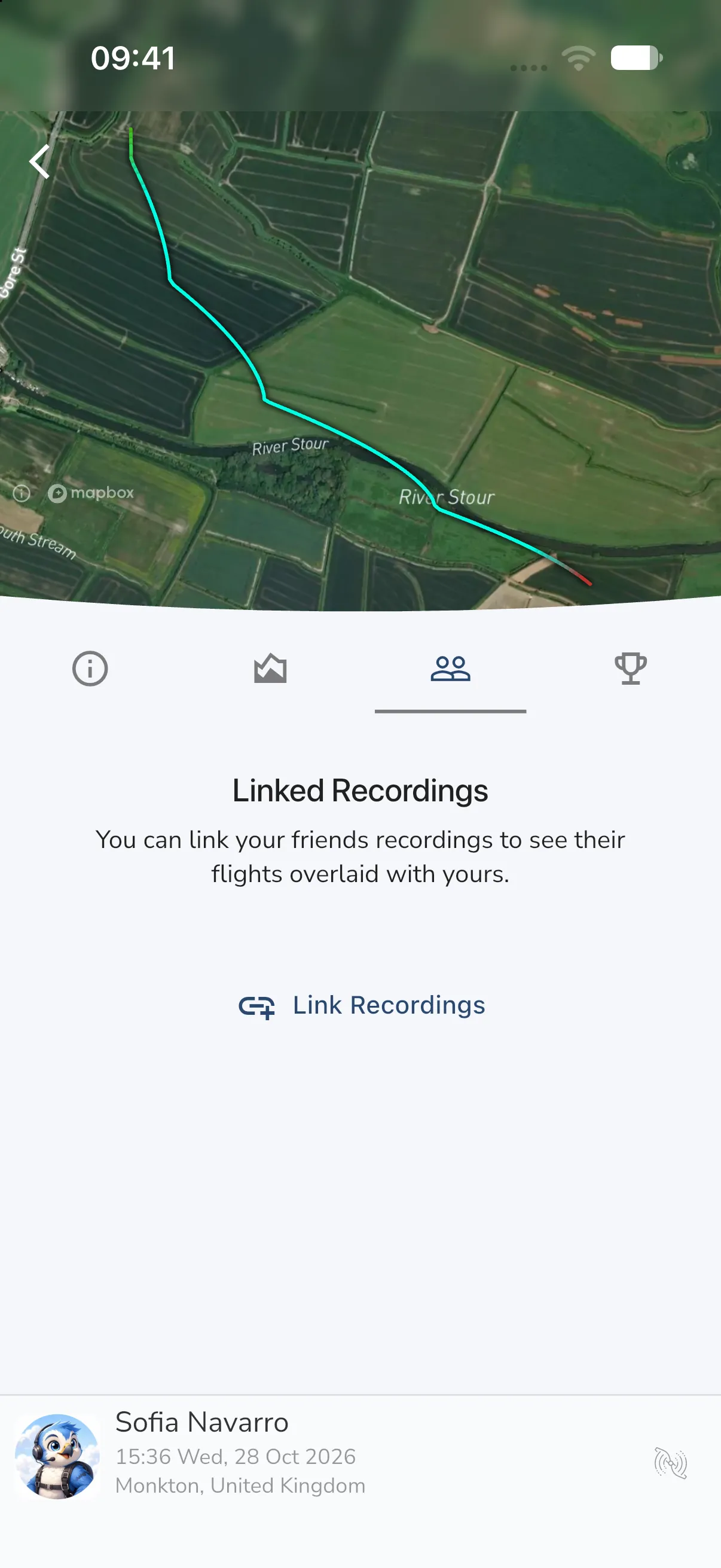
Open the tab
Open one of your recordings. The tabs sit under the map. The Linked people tab is the third icon, between Stats and Leaderboards.
When you have not linked anyone yet, the tab shows Linked Recordings and the text “You can link your friends recordings to see their flights overlaid with yours.”
Link a friend’s flight
- Tap Link Recordings.
- Gaggle lists recordings from other pilots that were nearby. Tap the one you want to link.
If Gaggle finds nothing, it shows “No other recordings found nearby.” and asks you to have your friends record their flight with Gaggle and check that they are done recording. Tap OK to close the list.
Show, hide or remove a link
Swipe a linked recording to see its actions.
- Swipe from the left to Remove the link. This does not delete your friend’s flight.
- Swipe from the right to Hide flight path or Show flight path on your map.