
Help Article
Ground Speed & Compass
Understand the current ground-speed widget, compass direction, and related lower-screen flight information.
Ground Speed and Compass Instrument
The ground-speed instrument is the lower-left circular widget in the in-flight layout.
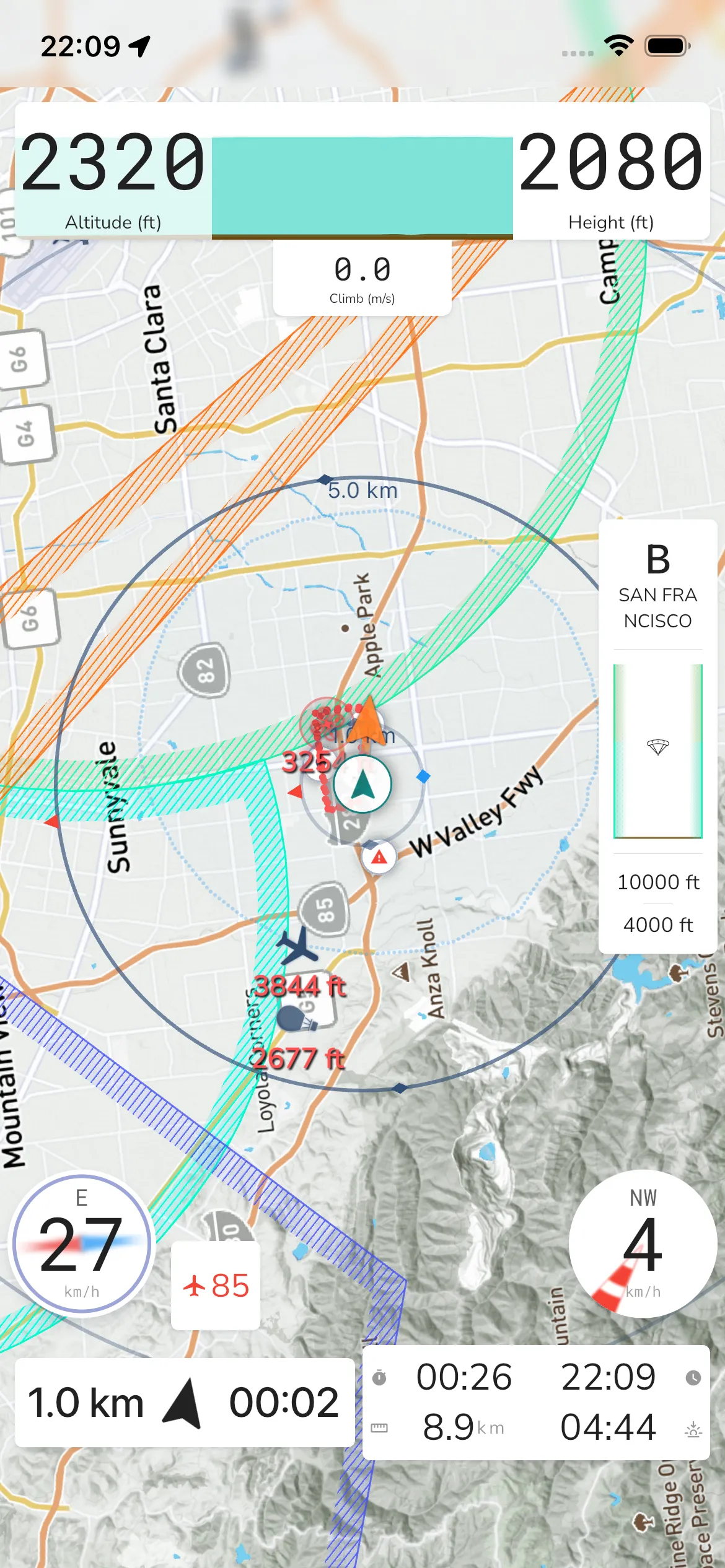
Ground speed: Shows current GPS-derived speed.
Direction: A cardinal heading label is shown above the speed value.
Compass ring: The circular background acts as a compass reference.
Tap for Speed Information
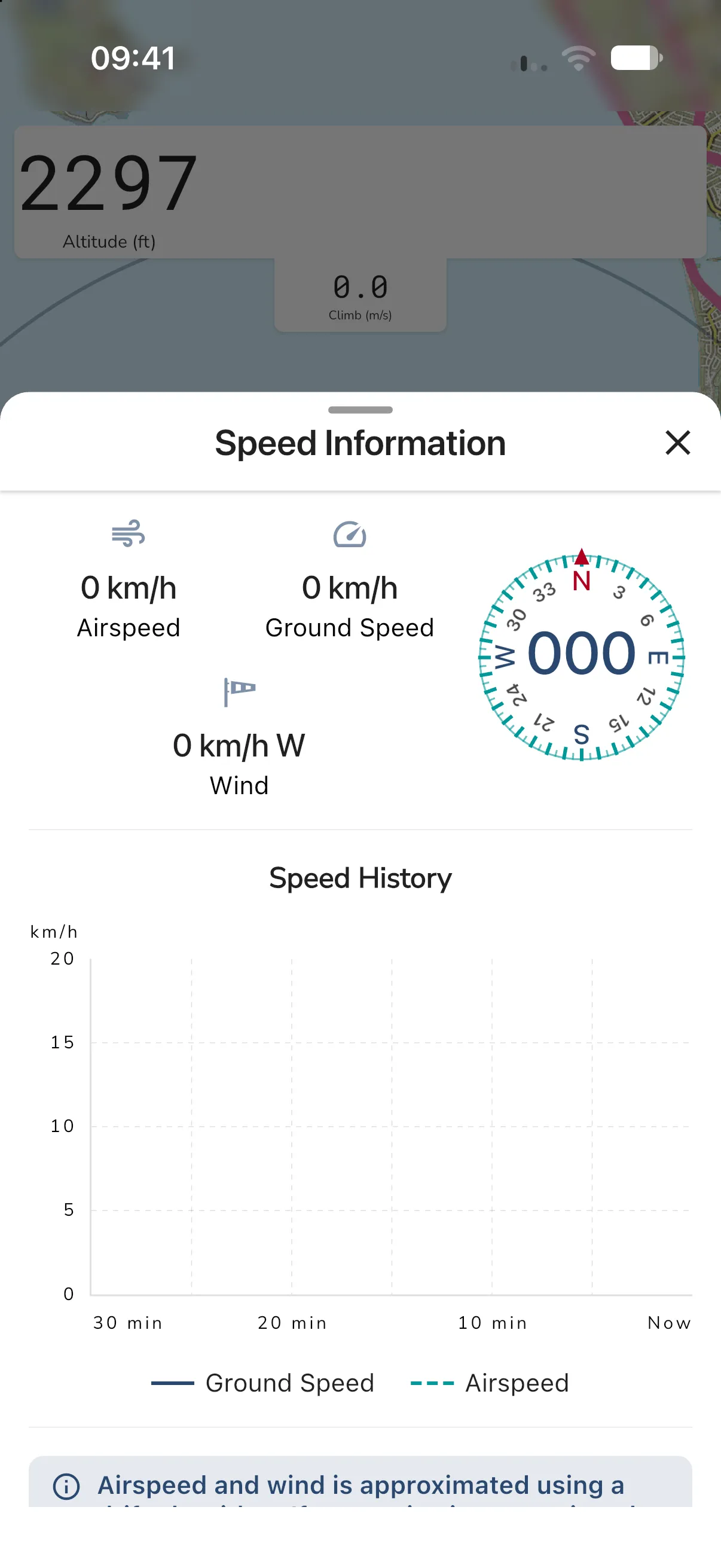
Tap the widget to open the Speed Information sheet. It shows:
- Airspeed, Ground Speed and Wind (speed and compass point), plus a compass. The compass is left out on a location-masked competition flight.
- Speed History, a graph of the last 30 minutes with a solid line for ground speed and a dashed line for airspeed. The graph is part of the Adventurer plan.
- A note that airspeed and wind are approximated with a drift algorithm. If they look wrong, do a quick S turn when it is safe to recalibrate them.
For wind details and the forecast, see Wind Speed and Direction.
If powered equipment is active, a separate small fuel/engine card can appear between the lower-left and lower-right widgets.